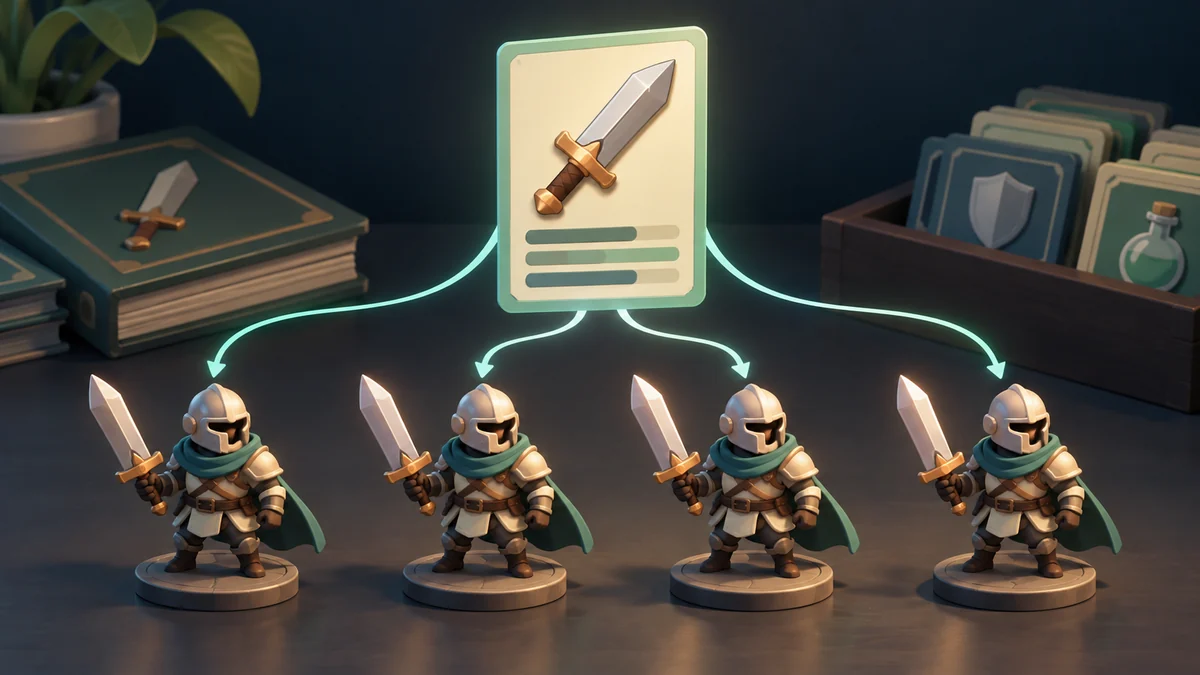
Two appearances, one card behavior
ScriptableObjects provide an asset-based place for shared data. Several objects can refer to the same configuration rather than each carrying an independent copy. A card theme is a useful example: its definitions can be edited separately from the behavior that presents them.
Imagine light and dark card themes. Their back images and colors can be shared by multiple views. Instead of entering identical settings on every card, make one data asset per theme and connect the presenter to the desired asset. A ScriptableObject is a project asset rather than a component attached to a GameObject; its reference can be assigned in the Inspector. The exercise separates changing theme artwork from changing how cards are selected.
Separate shared data from player choices
Create two authored theme configurations and let the same presenter display either one. Change a theme’s artwork without modifying selection rules. Then ask which values are shared and which belong to the current player. The exercise succeeds when an appearance adjustment stays an appearance adjustment, while runtime ownership and selection remain explicitly managed elsewhere rather than written back accidentally to shared content.
Now distinguish content facts from the current player’s state. Theme names and images are shared; ownership and equipped choice belong to a player. Writing purchase state into the shared asset confuses those meanings. A two-column list is enough to establish where values belong without building a complicated system. Multiple objects may reference one asset, so changing shared values can affect several consumers. Treat that as a deliberate relationship rather than assuming each view holds an independent copy.
An asset is not a save file
Do not treat ScriptableObjects as a general player-progress save mechanism in a deployed game. Unity distinguishes authored assets from saving data in the running product. Give progress a separate persistence path and verify it after closing and reopening. For this example, switch between two themes and confirm that selection and scoring remain unchanged. If replacing artwork changes scoring behavior, investigate the data-behavior boundary before adding a third theme.
Further reading: Unity: ScriptableObject
For a related example, read Dalo’s Table Looks: Personal Style, Readable Cards.